Google Maps Is Getting Smarter: What “Ask Maps” Means for Local Businesses
Google Maps has quietly become one of the most important marketing platforms for local businesses.
People use it to find restaurants, compare service providers, check reviews, and decide who looks trustworthy enough to call. In many cases, they never even visit a website before making that decision.
Now Google is adding another layer to Maps: AI-powered search and discovery.
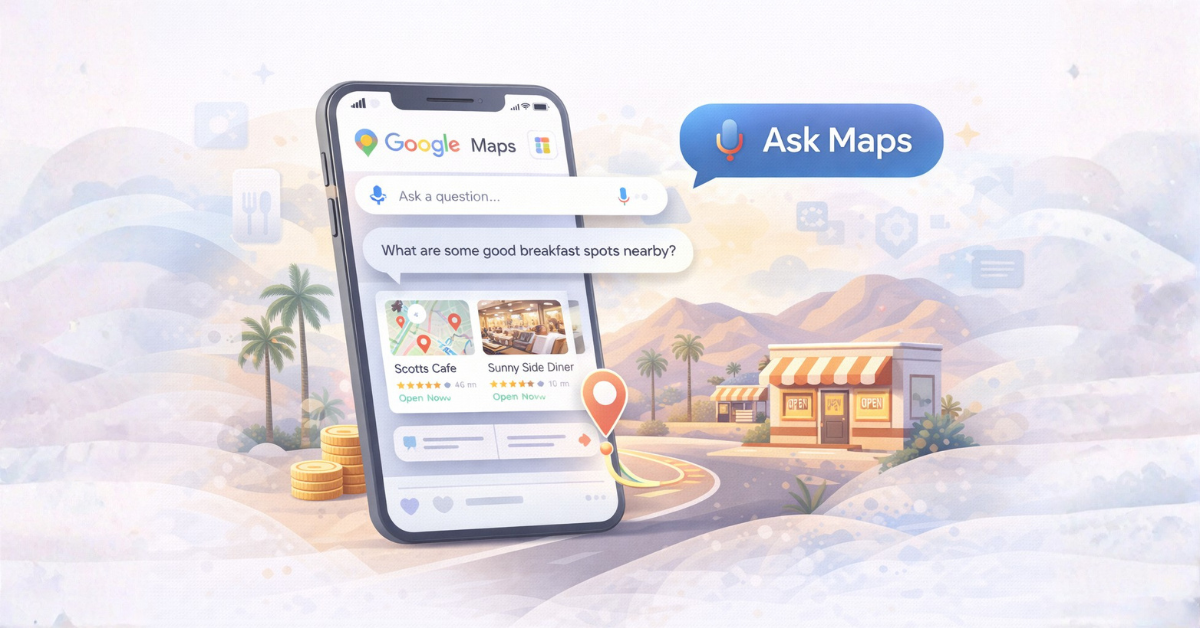
In a recent announcement, Google introduced new features that allow users to ask Maps questions and receive recommendations directly within the app.
Instead of typing basic searches like “coffee near me,” people can now ask things like:
- “What’s a good brunch spot with outdoor seating?”
- “Where can I get a quiet place to work nearby?”
- “What’s a good local sushi restaurant open right now?”
Maps then analyzes reviews, photos, and business information to suggest places that match the request.
Which raises a very practical question for business owners:
How do you make sure your business shows up when Maps starts answering questions for people?
What “Ask Maps” Actually Is
The new Maps features essentially turn Google Maps into a conversational discovery tool.
Instead of relying purely on keyword searches, the system interprets broader questions and tries to recommend places that match the intent behind them.
It does this by analyzing signals like:
- Google reviews
- Business descriptions
- Photos
- Menu or service information
- Website content
- Location data
In other words, the same information that already powers local search is now being used in more dynamic ways.
Why Google Is Doing This
Two trends are driving this shift.
First, people are getting comfortable asking questions instead of typing keywords.
Second, Google wants Maps to be a discovery engine, not just a navigation tool.
For years, people searched Google first and then opened Maps.
Now many searches start inside Maps itself.
When someone opens the app and asks where to eat, what to do, or who to hire, Google wants to provide the answer immediately.
Why This Matters for Local Businesses
For a lot of businesses, Maps is already the first impression.
Someone searching “AC repair Palm Desert” might click your website.
Someone opening Maps during a 110° July afternoon is much more likely to just pick the company that looks trustworthy in the results.
With AI-driven recommendations inside Maps, that decision process gets even shorter.
Which means the businesses that appear credible, relevant, and well-documented will have a significant advantage.
What You Can Do to Improve Your Visibility
The good news is that the things Google looks at are not mysterious.
They’re the same signals that have powered local search for years.
1. Strengthen Your Google Business Profile
Your Google Business Profile is one of the most important inputs for Maps recommendations.
Make sure you have:
- Accurate categories
- Updated hours
- Clear service descriptions
- Recent photos
- Active review responses
If you haven’t reviewed your profile in a while, it’s worth revisiting. Even small updates help keep your listing relevant.
2. Encourage Reviews That Mention Real Experiences
Reviews do more than build trust.
They also help Google understand what your business is actually known for.
If someone asks Maps for “a good brunch place with outdoor seating,” the system may surface businesses where reviews mention those details.
The same applies to service businesses:
- “Fast AC repair”
- “Great dentist with gentle staff”
- “Reliable contractor”
Encouraging customers to leave honest reviews about their experience helps those signals accumulate.
3. Keep Your Website Clear and Structured
Even though Maps is the interface, Google still pulls information from websites.
Your website should clearly explain:
- What you do
- Where you serve
- What services you offer
- How people can contact you
Structured pages and FAQs help search engines interpret your content more easily.
That clarity helps both traditional search and AI-driven discovery.
4. Add Location Context Where It Makes Sense
Local context matters more than people think.
If your business serves Palm Springs, Palm Desert, Indio, or La Quinta, it should be obvious on your website.
Not through keyword stuffing, but through natural explanations of where you work and who you serve.
That geographic clarity helps Google connect your business with nearby searches.
5. Use Google Ads to Capture High-Intent Searches
Google Ads still play an important role in local visibility.
When someone searches for a service with strong intent — like “emergency plumber near me” — paid search ads can place your business at the top of the results immediately.
Ads don’t replace strong local SEO or Maps presence, but they can complement it by capturing demand while your organic visibility grows.
How Google Ads Fit Into This New Maps Experience
Organic visibility inside Google Maps is powerful, but it’s not the only way businesses appear.
Google Ads already play a role in Maps results, and that role may become more important as Maps moves toward AI-driven recommendations.
Location-based ads can already appear inside Maps through:
- Local search ads
- Location extensions tied to Google Business Profiles
- Performance Max campaigns using location assets
These placements typically show up when someone searches for a service nearby or explores businesses in a category.
As Google adds conversational discovery features like “Ask Maps,” the same signals that power local ads — location relevance, business data, reviews, and user intent — will likely continue shaping which businesses appear.
Why Performance Max Campaigns May Become More Relevant
Performance Max campaigns already distribute ads across multiple Google surfaces, including Search, YouTube, Discover, Display, Gmail, and Maps when location assets are connected.
Google hasn’t published specific details about how ads will appear inside the new conversational Maps experience.
But the infrastructure already exists.
Performance Max campaigns tied to Google Business Profiles and location assets already allow ads to surface in Maps placements when Google detects local intent.
If a business links its Google Business Profile and provides strong creative assets, the campaign can automatically serve ads in places where Google predicts high intent.
That includes local discovery moments.
Which means businesses that combine:
- A strong Google Business Profile
- Location assets
- Well-structured websites
- Active reviews
will likely be in a stronger position whether visibility comes from organic Maps results or paid placements.
What Counts as a “Limited Budget” in Google Ads?
For many small businesses, budget is the deciding factor.
Google Ads can absolutely drive leads, but the economics need to make sense.
In many local markets, cost-per-click for service businesses ranges from $4 to $15+, depending on competition.
That means a budget of $300–$500 per month may only generate a handful of clicks.
For businesses serious about using Google Ads for lead generation, a more realistic starting range is often:
- $800 – $1,500 per month for smaller local campaigns
- $2,000+ for competitive service industries
That doesn’t mean smaller budgets are useless. It just means expectations should match the scale of the investment.
The goal with ads isn’t to replace organic visibility. It’s to reinforce it when someone nearby is actively searching.
A Quick Local Example: Why Maps Matters So Much in the Desert
If you spend any time in the Coachella Valley, you already know how often people rely on Maps.
A visitor might be standing on Palm Canyon Drive in Palm Springs trying to decide where to grab dinner.
A snowbird in Palm Desert might be searching for a new dentist near El Paseo.
A family driving down Highway 111 in Indio might suddenly need an urgent care clinic or a tire repair shop.
In those moments, people rarely open five browser tabs and research their options.
They open Google Maps.
The businesses that appear credible at that exact moment tend to win.
That credibility comes from a combination of things:
- Strong reviews
- Clear photos
- Accurate business information
- A trustworthy website
- Occasionally, well-targeted local ads
It’s not just about being visible online. It’s about being visible in the moment someone nearby needs what you offer.
How Maps Visibility Actually Works (A Simple Breakdown)
If you’re wondering how all of this fits together, the process is simpler than it looks.
When someone asks Maps a question, Google pulls signals from multiple places to decide which businesses to show.
- Google Business Profile: categories, services, photos, hours
- Reviews: quantity, quality, and specific experiences mentioned
- Website content: clear explanations of services and locations
- User behavior: clicks, calls, and engagement
- Proximity: how close the business is to the searcher
- Ads (optional): paid placements for high-intent searches
The businesses that consistently show up are rarely gaming the system.
They’re simply providing the most complete and trustworthy information.
A Quick Checklist for Businesses
If you want to position your business well for how Google Maps is evolving, start here:
- Keep your Google Business Profile accurate and active
- Encourage reviews that describe real customer experiences
- Make sure your website clearly explains what you do and where you serve
- Add photos that show your location, work, or products
- Consider Google Ads for high-intent searches where timing matters
None of these are new tactics. They’re simply becoming more important as Maps becomes smarter.
Final Thought
Technology changes quickly. The fundamentals of local visibility rarely do.
Businesses that clearly explain what they do, keep their information current, and build real trust signals will continue to show up — whether someone searches on Google, opens Maps, or asks a question out loud.
The tools evolve. The goal stays the same: be the obvious, trustworthy answer when someone nearby needs what you offer.
Frequently Asked Questions About Google Maps and Local Visibility
Can businesses pay to appear in Google Maps results?
Yes, but only in certain placements.
Businesses can run Google Ads that appear in Maps results when someone searches for a relevant service nearby. These typically show up as promoted listings at the top of the map results.
However, most Maps visibility still comes from organic signals like reviews, proximity, and the strength of your Google Business Profile.
Does my website still matter if people are using Google Maps?
Yes, very much.
Even though people often interact directly with your Google Business Profile inside Maps, Google still pulls information from your website to understand what your business does and where it operates.
Clear service pages, location context, and structured information help reinforce your credibility across Google’s ecosystem.
Do reviews affect whether my business appears in Maps recommendations?
They absolutely can.
Google analyzes review content to understand what customers actually experience at a business. Reviews that mention specific services, quality, or atmosphere can help reinforce relevance when Maps suggests businesses for certain types of searches.
For example, if many reviews mention “great patio dining” or “fast AC repair,” those signals may help match your business to similar queries.
Is Google Ads required to show up in Google Maps?
No.
Most businesses that appear in Maps results are there because of strong organic signals like proximity, reviews, and well-maintained business listings.
Google Ads simply provide an additional way to appear in front of high-intent searches.
What is the most important thing a business can do to improve Maps visibility?
Keep your Google Business Profile accurate, active, and complete.
Make sure your categories are correct, your hours are updated, your photos are current, and your reviews reflect real customer experiences.
Those fundamentals remain the strongest signals for local visibility.
Casey Dolan Consulting provides web development and digital consulting for clients in the Greater Palm Springs Area and beyond, working with a variety of clients and industries including homebuilders, events & festivals , government & non-profit organizations, e-commerce and retail stores, and more. Interested in talking about how I might be able to assist with your digital or marketing needs, give me a shout.
Share this article

Written by : Casey Dolan
Casey Dolan provides web development and digital consulting for clients in the Greater Palm Springs Area and beyond, working with a variety of clients and industries including homebuilders, events & festivals , government & non-profit organizations, e-commerce and retail stores, and more.
Follow me
Latest posts
February 10, 2026